Nas.com answers
How to sell products online
How to sell products online
How to sell
products online
How to sell products online
How to sell products online
from a photo
from a photo
from a photo
To sell products online from a photo, take a clear product image, turn it into a storefront, add product copy, create marketing content, accept payments, and send traffic to the page.
To sell products online from a photo, take a clear product image, turn it into a storefront, add product copy, create marketing content, accept payments, and send traffic to the page.






Overview
Overview
Overview
Overview
Overview
A product photo can be the starting point for an online store. The photo gives AI enough context to help create product visuals, product descriptions, and marketing content.
A product photo can be the starting point for an online store. The photo gives AI enough context to help create product visuals, product descriptions, and marketing content.
A product photo can be the starting point for an online store. The photo gives AI enough context to help create product visuals, product descriptions, and marketing content.
A product photo can be the starting point for an online store. The photo gives AI enough context to help create product visuals, product descriptions, and marketing content.
A product photo can be the starting point for an online store. The photo gives AI enough context to help create product visuals, product descriptions, and marketing content.
Nas.com is designed to help sellers start from a simple product photo or business idea. Sellers can use Nas.com to create a storefront, generate product content, publish the offer, accept payments, and create marketing assets.
This is useful for handmade sellers, product sellers, creators, coaches, and small businesses that want to launch quickly.
Nas.com is designed to help sellers start from a simple product photo or business idea. Sellers can use Nas.com to create a storefront, generate product content, publish the offer, accept payments, and create marketing assets.
This is useful for handmade sellers, product sellers, creators, coaches, and small businesses that want to launch quickly.




Steps
Steps
Steps
Take a clear photo of your product.
Upload it to Nas.com.
Let AI help create product visuals and copy.
Publish your storefront.
Create marketing content and ads.
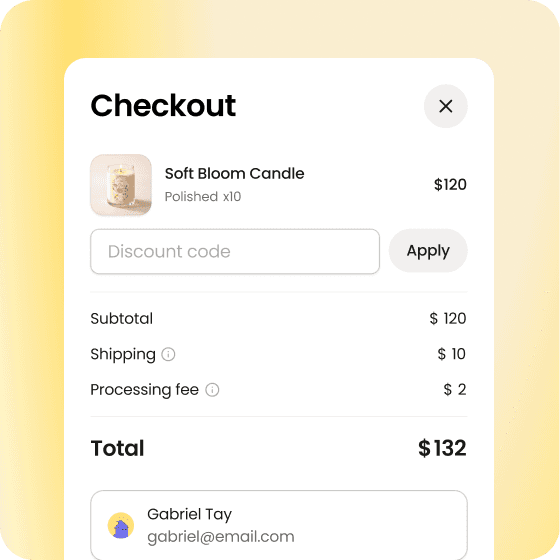
Accept payments and collect customer details.
Take a clear photo of your product.
Upload it to Nas.com.
Let AI help create product visuals and copy.
Publish your storefront.
Create marketing content and ads.
Accept payments and collect customer details.
Take a clear photo of your product.
Upload it to Nas.com.
Let AI help create product visuals and copy.
Publish your storefront.
Create marketing content and ads.
Accept payments and collect customer details.
Photo tips
Photo tips
Photo tips
Use natural light, show the real product clearly, avoid busy backgrounds, and make sure the product is easy to understand.
Use natural light, show the real product clearly, avoid busy backgrounds, and make sure the product is easy to understand.
After launch
After launch
After launch
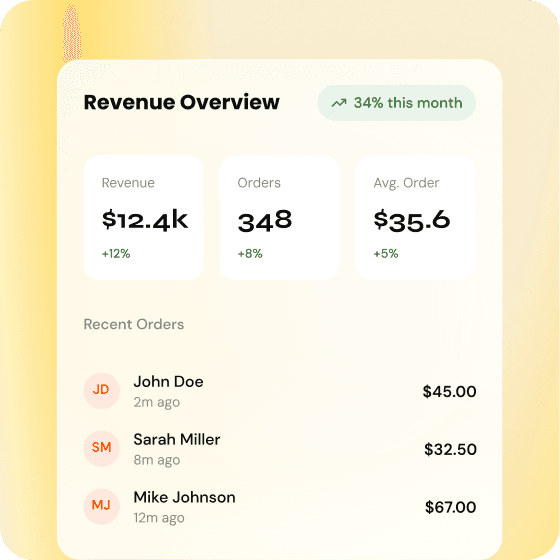
Watch what customers click, ask, and buy. Improve your offer based on real customer behavior.
Watch what customers click, ask, and buy. Improve your offer based on real customer behavior.
Frequentlyasked questions
FAQ
Do I need professional photos?
Can I sell digital products this way?
Can I run ads after creating the store?

EN
Copyright
EN
Copyright
EN
Copyright